Looking to build an online marketplace? This step-by-step guide covers everything from picking your niche to finding sellers, building the platform, and connecting payment and payout providers.
Key takeaways
- Prove sellers will list and buyers will pay with waitlists, deposits, or manual matching before building anything.
- Win by solving a specific niche's matching problem rather than competing head-on with Amazon or Airbnb.
- Your chosen model and transaction type dictate the payments, verification, and booking infrastructure you must build.
There's plenty of room to build the next successful marketplace.
According to ECDB, online marketplaces generated 83.4% of global ecommerce GMV (gross merchandise value) in 2025 – and you don't need to be the next Amazon to tap into that revenue.
Some of the best opportunities start much smaller: find a specific group of buyers and sellers who struggle to find each other, build a better way for them to transact, and take a fee for making it happen.
Marketplaces work for physical products, services, rentals, digital goods, or almost any other niche, but building the site is only one part. You also need to attract new buyers and sellers, decide how you'll make money and split revenue, onboard sellers, accept payments, and pay out.
In this guide, we'll explain how you can start an online marketplace in nine steps, from finding your niche to processing your first transactions and scaling what works.
What is an online marketplace?
An online marketplace has one simple goal: connect buyers and sellers. It's like a mall, but hosted digitally. Its sellers might offer courses, beauty products, supplements, coaching packages, software – the list goes on, but the premise remains the same.
eBay? Marketplace. Airbnb? Marketplace. Etsy? Marketplace. Despite the difference in the sellers, offerings, and customers, they're all operating under the same model. A seller lists, a buyer purchases, and the platform takes a cut on each transaction.
The marketplace itself is also responsible for accepting payments securely, paying out sellers, monitoring for fraud, and providing a user-friendly experience to everyone.
As the marketplace grows, it also needs to be able to handle seller verification, refunds, disputes, taxes, and transactions (including cross-border) with multiple currencies.
Online marketplace vs. online store
An online store is built for one business to sell its products or services; an online marketplace is built for multiple sellers to sell through the same platform.
| Online marketplace | Online store | |
|---|---|---|
| Who sells? | Multiple independent sellers | One business |
| What's sold? | Products or services from multiple sellers | The business's own products or services |
| How does it make money? | Transaction fees, subscriptions, listing fees, ads, or other seller fees | Revenue from its own sales |
| How do payments work? | The platform accepts buyer payments and facilitates payouts to sellers | The business accepts payment directly from the customer |
| Who handles fulfillment? | Usually the individual seller | Usually the business |
| Examples | Etsy, Airbnb, Upwork | Gymshark, Apple, LEGO – brand-owned ecommerce stores |
Why build an online marketplace?
Building an online marketplace lets you build a scalable ecommerce business without creating or owning everything that's sold on it – you just provide the infrastructure for others to sell.
DHL's 2026 E-Commerce Trends Report found that 82% of shoppers expect to use marketplaces the “same amount” or “more” over the next five years, and 52% of global consumers have sold an item through an online marketplace.
Sellers aren’t sticking to single marketplaces either: ChannelEngine’s 2026 Marketplace Seller Trends Report found that 39% of sellers operate on seven or more marketplaces, up from 34% in 2025. Almost half (49%) of sellers had added two or three new marketplaces over the previous year.
That creates opportunities for new marketplaces to win both buyers and sellers, particularly when they're built around a specific niche or need.
A marketplace can also give you:
- Multiple revenue streams: You can take a percentage of transactions, charge subscriptions or listing fees, sell advertising, or combine several models.
- Network effects: As you attract more quality sellers, you give buyers more reasons to visit; more buyer demand can then make the marketplace more attractive to new sellers.
- Access to niche opportunities: You don't have to compete with Amazon or Airbnb. A marketplace can solve a specific problem for a much smaller group of buyers and sellers.
- Less inventory risk: Depending on your model, sellers can remain responsible for their own inventory and fulfillment while you focus on the platform, payments, acquisition, and marketplace experience.
How do online marketplaces make money?
Online marketplaces make money by taking a cut of transactions and charging for services around each sale, such as listing fees, seller subscriptions, promoted listings and ad space, payment processing, and instant payouts.
- Commissions: Where a marketplace takes a percentage or fixed fee from each transaction on the platform. If a seller makes a $100 sale and your marketplace has a 10% commission, the marketplace earns $10 – though this would be reduced by operational costs. Split payments handle this by dividing each transaction between the platform’s account and the seller’s.
- Listing fees: Some marketplaces charge sellers to list a product or service. This generates revenue whether or not the listing actually results in a sale, and can help reduce low-quality listings.
- Subscriptions: Marketplaces can charge sellers (and sometimes buyers) a recurring fee for access to the marketplace, lower transaction fees, analytics, or other benefits.
- Advertising: This allows sellers to pay for sponsored listings, promoted products, or ad placement that puts their offer in front of more buyers.
- Payment and financial service fees: Charging sellers for payment acceptance (often as a markup on top of their processor's rate), currency conversion, financing options, tax handling, or other financial tools.
- Payout fees: For example, you could offer standard bank payouts for free, then charge for instant or same-day withdrawals, payouts to a debit card or digital wallet, crypto withdrawals, or wire transfers. According to PYMNTS, 72% of consumers who receive their core income through instant payments typically pay a fee for the speed (per the April 2026 Real-Time Payments Tracker).
These models aren't necessarily exclusive either. A marketplace can theoretically take a commission on every sale while also generating revenue from seller subscriptions, advertising, and payouts.
How to start an online marketplace in 9 steps
Starting an online marketplace means more than building a website where sellers can create listings.
You need to prove that buyers and sellers want what you're building, decide how you'll make money, build (or buy) the infrastructure for transactions and payouts, and get enough activity on both sides for the marketplace to work.
Here's how to do it.
1. Pick a niche and validate demand
Start with the problem your marketplace will solve, not the platform you want to build. That means two groups: sellers with something worth offering and buyers who want to purchase it.
- Figure out who will be selling (vintage clothing sellers, SaaS developers, fitness coaches), and who will buy (clothing enthusiasts, time-poor business owners, people with 9-5 jobs wanting to lose weight).
- Then, think about why they’ll choose your marketplace over (or alongside) another: a better user experience, better payout options, a more heavily audited marketplace, or something else. The strongest niches have lots of small sellers and no dominant player, buyers already making do with a workaround (Facebook groups, Discord servers, DMs), and a reason to keep transacting on your platform after the first match.
Next, interview prospective sellers. Ask where they sell now, what they pay in fees, how buyers find them, what frustrates them, and how many listings they’d put up if you launched next month.
Interviews tell you what people say, but to see what they'll actually do, run one or more of these tests, and set a target first so you know what counts as a yes:
- Launch a seller waitlist: Put up a simple landing page describing your marketplace and ask sellers to sign up with what they'd list. If you can't get around 30 sellers committing to real listings, rethink your niche or your pitch.
- Run a concierge MVP: Match buyers and sellers manually. You can collect listings in a spreadsheet, share them where your buyers spend time, and take payment with a checkout link.
- Take deposits or pre-orders: Ask buyers to put down a small deposit before launch. Sign-ups show interest, but payment shows intent.
You don't need thousands of people to validate the concept. At this stage, you're looking for evidence that sellers are willing to list and buyers are willing to transact before you spend months building the infrastructure to connect them.
2. Choose your marketplace model
Next, choose your marketplace's business model, as it affects everything from how you'll onboard sellers to the payment and verification systems you'll eventually need.
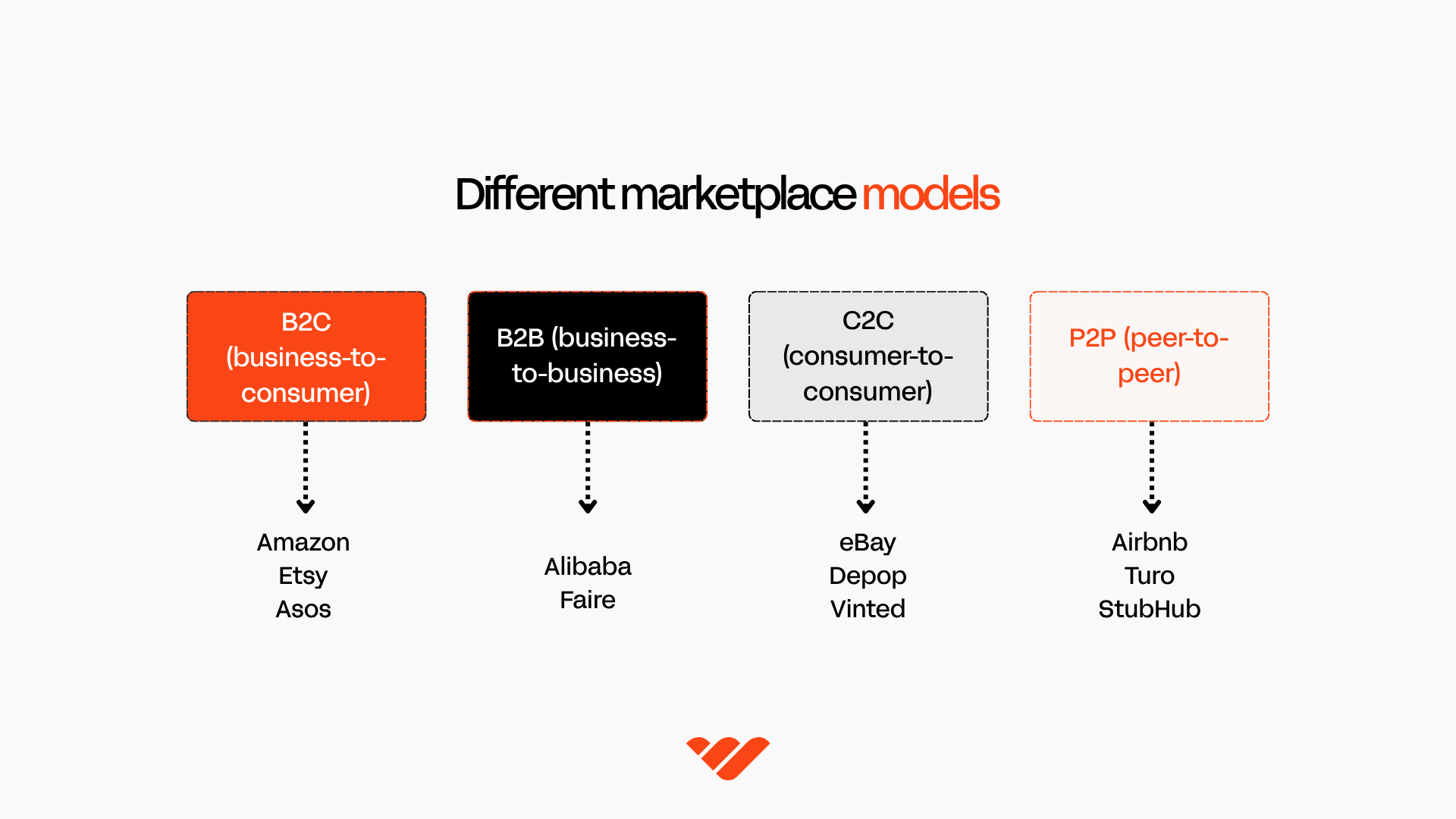
Most marketplaces fall into one of four models:
- B2C (business-to-consumer): Businesses sell to individual customers. Amazon is the obvious example, with third-party businesses selling products to consumers through its marketplace.
- B2B (business-to-business): Businesses sell products or services to other businesses. Alibaba and Faire are examples. These marketplaces may need to support larger transactions, bulk orders, negotiated pricing, invoicing, or more extensive seller verification.
- C2C (consumer-to-consumer): Individuals sell directly to other individuals. Think eBay, Depop, or Vinted. Because buyers are purchasing from other consumers rather than established businesses, features that establish trust (seller profiles, ratings, reviews, and buyer protection) become more important.
- P2P (peer-to-peer): Individuals provide assets or services directly to other individuals. Airbnb and Turo are good examples. There's plenty of overlap with C2C, but P2P is commonly used for marketplaces built around rentals, bookings, and services.
You'll also need to define how a transaction actually works. A marketplace for downloadables will let a customer buy instantly, while a coaching marketplace could require customers to choose an available time and make a booking. A B2B marketplace might require a buyer to request a quote before any money changes hands.
The type of transaction determines the tools your marketplace needs:
- A coaching or services marketplace might need calendar integrations, availability management, automated reminders, rescheduling, and cancellation tools.
- A rental marketplace may need date-based availability, deposits, identity verification, and insurance.
- If your marketplace sells digital files, SaaS, subscriptions, or downloads, you'll need file hosting, automatic delivery, licensing, or access controls.
- Physical product marketplaces need inventory tracking, shipping integrations, order tracking, and returns.
Map out the entire transaction from listing to discovery, purchase (or booking), payment, fulfillment, and payout.
You'll use that flow to decide which features need to be built into your marketplace and which can be handled through integrations with other tools.
3. Determine your take rate and pricing
Next, decide how much your marketplace will make from each transaction.
If you're using a commission model, your take rate is the percentage of each transaction your marketplace keeps. If a customer pays $100, the seller receives $90, and your marketplace earns $10, your take rate is 10%.
There's no single take rate that works for every marketplace; it depends on the value you're providing sellers, your category, transaction size, competition, and what costs you need to cover.
You could always start at 5–10%, and increase as your marketplace builds value.
What a 10% take rate earns you:
On a $100 sale, you earn $10. If your marketplace absorbs the 2.7% + $0.30 processing fee, you keep $7.00; if the seller pays it, you keep $10.
Step 5 explains how to choose.
As of September 2026, here's what some well-known marketplaces charge:
- Etsy: A 6.5% transaction fee on each sale, plus $0.20 per listing.
- Airbnb: A 15.5% host-only fee for most hosts (16% in Brazil and Mexico). Hosts still on the older split-fee structure pay 3%, and guests pay the rest.
- Upwork: A freelancer service fee of 0%–15%, set per contract.
- Amazon: Category-based referral fees, such as 8% for electronics and 15% for home and kitchen.
- Metafy: A 15% cut from coaches, plus a 5% fee paid by students on top of each coach's rate.
Many marketplaces layer revenue streams around the take rate. You might keep the core commission relatively low, then monetize optional seller subscriptions, advertising, or instant payouts as your marketplace grows.
Whatever you choose to do, start with a pricing model that's easy for sellers to understand. You can test and change it as you learn more, but sellers should be able to answer one question immediately:
“If I make a sale, how much do I keep?”
4. Choose how to build
Once you know what your marketplace needs to do, you can decide how to build it.
You don't need to launch with every feature you might eventually want. Your first goal is usually an MVP (minimum viable product).
This is essentially the simplest version of your marketplace that lets real sellers list and real buyers complete transactions.
For a marketplace, a working MVP will need listing pages (with photos, descriptions, and pricing), the ability to search and browse, a functioning checkout, messaging or booking ability (depending on what's being sold), a dispute and refund flow, and payouts that allow you to hold funds until orders are fulfilled.
There are several ways to get there, with different trade-offs between cost, speed, technical input, and customization.
| Build method | Indicative cost | Timeline | Effort | Best for |
|---|---|---|---|---|
| AI/no-code | Free to a few hundred dollars/month, plus any developer help | Days to weeks | Low–medium | Testing an idea quickly without a development team |
| Marketplace software | Recurring platform fees + setup/integrations | Days to weeks | Low–medium | Marketplaces with relatively standard transaction flows |
| Whop blueprint with customization | Can start free; increases with custom development | Hours to weeks | Low–high | Starting with a working marketplace foundation, then making it your own |
| Custom development | Tens to hundreds of thousands of dollars | Months to a year+ | High | Complex marketplaces that need bespoke functionality |
The figures above for custom development are indicative ranges. Actual costs and timelines depend on your marketplace's scope, features, integrations, and where your development team is based.
- AI and no-code tools: These can get an MVP running quickly, but don't mistake no-code for no technical work. Someone still needs to define the marketplace logic, connect integrations, test the buyer and seller journeys, and troubleshoot when something doesn't work. Complex payment flows or unusual functionality may still require developer input.
- Dedicated marketplace software: These give you marketplace-specific functionality right away. Platforms like Sharetribe and Arcadier can reduce the amount you need to build yourself, especially if your marketplace follows a relatively standard product, service, rental, or booking model. More specific workflows can require additional integrations or custom development.
Get your first transactions on a standard setup before you pay for custom development. Most marketplaces share the same core flow of listings, checkout, payouts, and reviews, so your early budget usually does more when you spend it on recruiting sellers and buyers in your niche.
- Juho Makkonen, CEO and co-founder of Sharetribe
- Whop blueprints: Deploy the "Marketplace" blueprint, which gives you a working business with products, pricing, payments, and a live site. You can customize it yourself or with an agent using the Whop CLI. Seller payouts run on Whop's connected accounts, so you can take a fee from each sale and pay sellers on the same rails that collect payments.
- Custom development: This option gives you the most control, but costs and timelines climb quickly as complexity increases. A basic web marketplace is a very different project from one that needs native apps, real-time availability, custom matching, identity verification, messaging, multi-currency payments, shipping integrations, or complex seller payouts. To see what a custom build involves, follow our tutorial on how to build a StockX clone with Next.js and Whop.
Whichever route you choose, build for the first successful transaction, not the marketplace you imagine three years from now.
Your MVP needs enough functionality for a seller to list, a buyer to purchase or book, your marketplace to collect its fee, and the seller to get paid.
Everything else can be added as you learn how people actually use it.
5. Set up payments, seller onboarding, and payouts
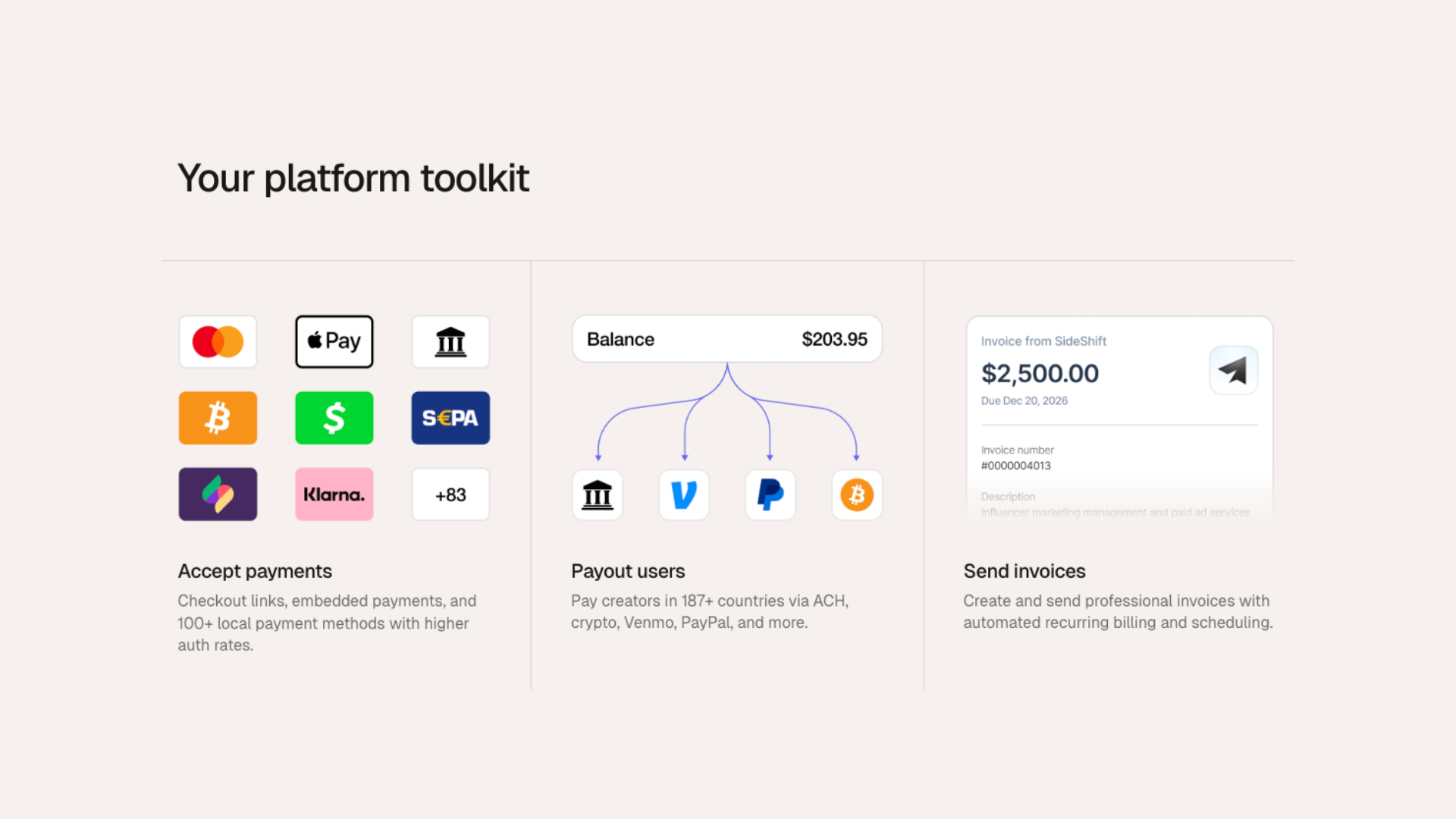
Marketplace payments need to be able to complete three jobs: collect money from buyers, keep your marketplace's fee, and pay the rest to sellers.
This is the step where most marketplaces get stuck. It's also the one worth getting right before launch, because changing how money moves later means re-onboarding every seller.
To make payments flow, you need a provider that supports split payments, seller identity verification (KYC), and payouts to sellers. A standard checkout that pays one business won't cover it.
Sellers usually get their own account linked to your marketplace – often called a connected account or sub-merchant account – that can receive their share of each sale.
On Whop, payments, seller verification, and payouts run through one API. Sellers join as connected accounts, and you can use prebuilt, embeddable components or the API directly.
Typically, the flow looks like this:
- A buyer pays at checkout
- The payment is split between your marketplace and the seller
- Your marketplace keeps its fee (your take rate)
- The seller's share is paid out to their bank account or other payout method
Your marketplace runs the checkout. What you choose is whose account each sale is charged to. Providers name these models differently, but most give you the choice between:
- Direct charges: Each sale is charged to the seller's account, and your marketplace takes a fee automatically. The seller covers payment fees and handles refunds and disputes.
- Transfers: Each sale is charged to your marketplace's account, and you pay sellers their share later. You control when and how much sellers get paid, but your marketplace covers fees and handles refunds and disputes.
| Direct charges | Transfers | |
|---|---|---|
| Sale is charged to | The seller's account | Your marketplace's account |
| Who pays payment fees | The seller | Your marketplace |
| Who handles refunds and disputes | The seller | Your marketplace |
| Best for | Sellers who run their own businesses | Marketplaces that control payout timing |
Sellers typically need to verify their identity (KYC) with your payments provider before they can withdraw their earnings. Most providers let you embed verification in your site or send sellers to a hosted flow.
Once verified, sellers can usually manage their own payouts – checking their balance, adding payout methods, and withdrawing – without contacting you.
FoodFluence uses Whop's API for its payout portal where users can track what they've earned and request withdrawals themselves.
"Prior to Whop, any other solution we had tried was predominantly just a broken flow where we'd be billing on one platform, then transferring the funds to our bank, and then using another payout provider."
– Branson Packard, FoodFluence CEO
What about marketplace tax and compliance?
Before you launch, put a few legal and tax foundations in place. Requirements vary by country and state, so check with a trusted lawyer or accountant if possible.
Some things to consider:
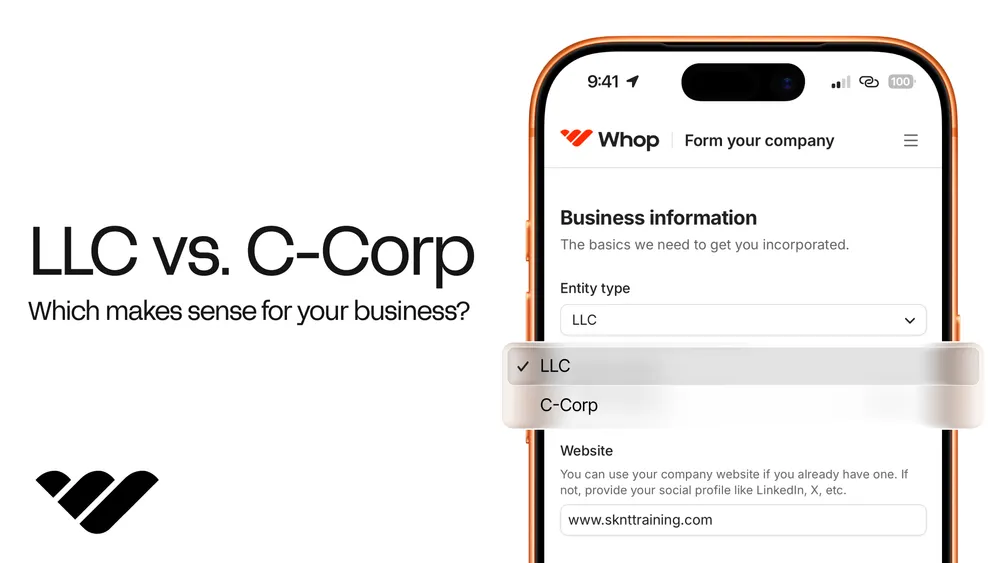
- Business entity: Starting an LLC can help protect your personal assets and makes banking and payments easier to set up. Non-US founders can still form an LLC from overseas, but the process is slightly different.
- Seller agreement and terms of service: Set out your fees, payout timing, what sellers can list, and what happens when someone breaks the rules.
- Buyer protection and refund policy: Finalize how refunds, returns, and disputes work, and make sure it matches the payment model you chose above.
- Sales tax: In the US, many states have marketplace facilitator laws. Once your marketplace’s sales into a state pass its threshold, you collect and remit sales tax on the sales you facilitate there. That threshold is $100,000 a year in states like Florida, Georgia, and Washington, but $500,000 in California and Texas, and $500,000 plus more than 100 sales in New York.
- 1099-K reporting: According to the IRS, payment apps and online marketplaces must file Form 1099-K for sellers paid more than $20,000 across more than 200 transactions in a year. Some states set lower thresholds of their own. Massachusetts requires one from $600, and Illinois once a seller has four or more transactions totaling more than $1,000. Many payment providers handle this for you, but check before signing up.
6. Build trust and safety in before launch
Decide how you’ll prevent problems (and who pays when they happen) before your first transaction.
Vetting sellers at onboarding with identity verification through your payment provider is the baseline. Add checks that fit your category on top, like proof of a license or certification for services, a sample listing review for physical goods, and manual approval for your first sellers so you know who’s on the platform.
Then, design a review system buyers can trust. That may mean you only let buyers review after a completed transaction, ask for the review within a set window after delivery, and show the number of reviews next to every rating.
Think about holding funds until the order is delivered – time frames will vary depending on what's being sold:
| What’s sold | Release funds when | Example |
|---|---|---|
| Digital goods and access | On purchase or shortly after | Risk is refunds and fraud, not non-delivery, so hold longer only for new sellers |
| Services | The buyer approves the work | Upwork gives clients 14 days to review a milestone before funds auto-release, then holds them for five more days |
| Shipped products | Delivery is confirmed | eBay releases new private sellers’ funds 2 days after delivery confirmation with an eBay label, 7 days with a third-party label, and 31 days after payment without tracking |
| Rentals and bookings | The booking starts | Holding until check-in protects buyers from no-shows |
You’ll also want to decide who absorbs a chargeback after the seller has withdrawn. Cardholders can dispute a payment after purchase for most dispute reasons, so one can arrive after the seller has been paid.
Your options are to deduct it from the seller’s future earnings, keep a reserve on new sellers’ balances, or absorb it yourself. Write whichever you choose into your seller agreement.
7. Recruit your first sellers
Before you start investing money to send buyers to your marketplace, you need to make sure they’ll find something worth buying.
This is where marketplaces hit the chicken-and-egg problem: a marketplace needs both buyers and sellers to work. But buyers can’t buy if there’s nothing to purchase, so focus on finding your sellers first.
Onboard a small group of sellers (30 is a good starting point), then build the demand for them.
Start with one segment: pick one category, in one city or one community. 30 sellers in one category give buyers a real choice; 30 sellers spread across ten categories give them three each.
Find sellers where they already sell:
- Secondhand goods: Depop, eBay, Vinted, and Instagram shops
- Freelance services: Fiverr, Upwork, LinkedIn, and niche directories
- Handmade goods: Etsy, craft fairs, and maker communities
- Coaching and education: Discord servers, YouTube, and X
- Rentals: Local Facebook groups and classifieds
Contact sellers through their own website or social profiles, not on-platform messaging. Many marketplaces ban using their messages to recruit sellers elsewhere.
Work backward from your target. Most messages will go unanswered, so track how many you send, how many get a reply, and how many of those sellers go on to list. This tells you how many more messages you need to reach 30, and whether your message or your niche needs work.
Example outreach message: "Hi [name] – I came across your [listing] on [platform]. I’m launching [marketplace], a place for [buyers] to find [category], and I’m hand-picking the first 30 sellers. Founding sellers pay 0% commission until [date], and I’ll set up your listings for you – want a spot?"
- Seed supply if you need to: List items yourself or create listings on sellers' behalf so joining takes minutes.
- Give sellers value before buyers arrive: A storefront, built-in payments, and payouts are useful even with no buyers yet.
- Time-limit your incentives: A 0% commission window buys density, but set an end date so sellers know when fees start.
8. Launch and get your first 10 transactions
With sellers and listings in place, it’s time to open your marketplace to buyers. A soft launch to a waitlist or one niche community first lets you fix problems before you go wider.
Your best marketing channels depend on your niche, but could include SEO, social media content, niche communities, influencer or affiliate partnerships, email, PR, referral programs, and paid ads.
Pick one or two channels where your target buyers already spend time, track which ones actually produce transactions, and invest more in what works.
Your sellers can be an acquisition channel too: give them shareable storefronts and product links, encourage them to promote their marketplace presence to existing audiences, or reward them for referring new buyers and sellers.
Tip: don’t measure early marketing success on traffic alone. A marketplace needs transactions, not just visitors. The first real milestone is getting real buyers to complete transactions with real sellers. Aim for your first 10.
Watch what happens from there. How many buyers who search click into a listing, and how many of those reach checkout? Where do buyers drop off? Are they finding the right listings? Do they trust the sellers? Does checkout work smoothly? Are sellers fulfilling orders and receiving their payouts as expected?
At this stage, you can personally match buyers with sellers, help sellers improve weak listings, answer customer questions, and follow up with people who abandon checkout. You’re trying to find out what it takes to make a transaction happen before automating the process.
And after each sale, get feedback from both sides. Your first 10 transactions will tell you far more than your first 1,000 visitors. These sales give you a clear idea of what to fix before you spend more money driving traffic.
9. Measure liquidity and scale
Before you scale, check that your marketplace is liquid – meaning buyers reliably find what they want and sellers reliably make sales.
Traffic and sign-ups don’t measure liquidity. These metrics do:
- Sell-through rate: The share of listings that sell within a set period. If it’s low, you probably have more supply than demand, or weak listings. Pause seller recruitment, help sellers fix photos and pricing, and put your effort into buyers.
- Time to first sale: How long a new seller waits for their first order. If it’s long, new sellers will leave before they ever get paid. Feature new listings and point early buyers to them manually.
- Conversion rate: The share of buyers who go from searching or browsing to completing a purchase. If it’s low, check where buyers drop off, add reviews where trust is missing, and cut checkout steps.
- Repeat rate: How many buyers and sellers come back for a second transaction. If it’s low, check whether deals are moving off-platform, and give both sides a reason to return.
- GMV and take rate: The total value of sales on your marketplace, and the share you keep.
You’re ready to grow when the core works without you pushing it. New sellers make a first sale without your help, buyers come back on their own, and it costs you less to win a buyer than you earn from them.
Say it costs $30 in ads to win a buyer, and their orders average $100. At a 10% take rate, you earn $10 per order, so they pay back your ad spend on their third order.
If your marketplace covers the payment processing fees (2.7% + $0.30), you keep $7 per order instead, and it takes five orders to break even.
Then expand where demand already points. Look at searches that return no results, categories buyers ask for, and products your sellers want to list but can’t yet.
A vintage furniture marketplace might add lighting and home decor, because its buyers are already shopping for sofas and tables. Or a local dog-walking marketplace that works in one city could expand into a neighboring city where it notices an increase in visitors.
You can also add features that keep buyers and sellers on your platform. Fitted uses Whop to embed chat in its platform, giving its users a social-led styling experience.
Once you know which listings and buyers convert, paid ads become worth scaling, because you’re sending traffic to a marketplace that already turns visitors into sales.
To see which ads actually drive purchases, add a tracking pixel to your site. The Whop Pixel measures page views, links visitors to their purchases, and attributes each sale back to the ad that brought them in – and purchases through Whop checkout are tracked automatically.
As your marketplace volume grows, money movement can become a revenue line of its own. Instead of paying everything out to an outside bank, some marketplaces build financial features to allow sellers to hold a balance on the platform, spend it with a virtual card, and pay each other with wallets.
Your marketplace can build a neobank using Whop, with payment acceptance, balances, virtual cards, and payouts already wired up.
You can use it as is, customize it with Whop AI or the CLI, or embed its components in the marketplace you already have.
The best platforms and providers for marketplace payments
The top providers for marketplace payments are Whop, Stripe Connect, Adyen for Platforms, Airwallex, and PayPal.
Each one can split a payment between your marketplace and its sellers, verify sellers' identities, and pay sellers out, which are things a standard payment gateway can't do.
Start with where your sellers are, then decide whether you want prebuilt components or a fully custom build, and compare the fees at your expected volume.
Here's how they compare:
| Platform | Best for | Seller onboarding | Payouts | Pricing |
|---|---|---|---|---|
| Whop | Payments, verification, and payouts in one system | Embedded or hosted KYC; sellers can earn up to $5,000 first | Instant payouts in 187+ countries | 2.7% + $0.30; no setup or monthly fees |
| Stripe Connect | Developer teams wanting wide coverage and pricing control | 46+ countries | Standard, instant (1%), and cross-border | 2.9% + $0.30; plus Connect fees if you handle pricing |
| Adyen for Platforms | Custom split rules per seller or transaction | 39 countries across Europe, North America, and Asia Pacific | Managed or custom payouts in all 39 | $0.13 + interchange++ + 0.60% (Visa/Mastercard); minimum monthly invoice |
| Airwallex | Sellers around the world, many currencies | 50+ countries (full accounts) or 200+ (ledger accounts) | 150+ countries, including instant | Custom pricing |
| PayPal | Buyers who expect PayPal or Venmo | Before or after first sale; PayPal manages KYC | Instant or delayed disbursement | No upfront or monthly fees; negotiable rates |
Get the full details (including pricing and features) of these five providers from our marketplace payments guide.
Common mistakes when starting a marketplace and how to avoid them
Many marketplace founders run into the same mistakes when they first build: spreading themselves across too many providers, getting greedy with their take rate, and launching too broad.
Here's how to avoid making those mistakes in the first place and ensure you hit the ground running after launch.
Using separate tools for the site, payments, and payouts
You can run separate tools for each job – payments, payouts, KYC – but every extra provider adds work, and one that handles all three removes most of it.
Every additional integration creates another system to configure, maintain, reconcile, and troubleshoot. Plus, each introduces added costs.
Use infrastructure that handles multiple parts of the transaction in one place. If you do need separate providers, map exactly how customer payments, marketplace fees, seller balances, refunds, and payouts move between them before you launch.
Setting a take rate that pushes deals off-platform
It's important not to set your commission too high in the beginning, because until you're providing enough value, sellers will simply bounce – or encourage buyers to transact with them directly instead.
Give both sides a reason to keep the transaction on your marketplace: build out secure payments, buyer protection, dispute resolution flows, a space for reviews, convenient checkouts, and seller tools.
Launching too broad
It’s tempting to open every category on day one so the marketplace looks full. But 300 listings spread across 20 categories gives buyers fewer real options than 300 listings in one.
Start with one category, one location, or one community, and only expand once sellers there are making regular sales. Searches that return no results and categories buyers keep asking for will show you where to go next.
Build your marketplace with Whop
Starting an online marketplace just requires a few key steps taken in the right order. Pick a niche you can own, get your first sellers on board before you chase buyers, and set up payments that can split every sale and pay sellers reliably.
Payments and payouts are where most founders get confused. Whop takes most of the work off your plate, offering payment acceptance, seller verification, and payouts through one API, so you can take your fee on every sale and pay sellers instantly in 187+ countries.
Use prebuilt, embeddable components, ask Whop’s AI for help, or work with the API directly for more customization.
As you grow, you can add ads, invoicing, and neobanking features like branded cards without having to bring on more providers.
And because there are no setup or monthly fees, you can start small and scale as your marketplace does.
Online marketplace FAQs
How do you get your first sellers on a new marketplace?
The easiest way to find your first sellers is by direct outreach – look on social media, network in industry communities, and scour existing marketplaces. Offer sellers an incentive to join your marketplace, such as lowered fees for a certain amount of time, or free promoted listings.
How much does it cost to start an online marketplace?
It depends on how you build it: marketplace software typically costs a few hundred to a few thousand dollars a year, while custom development can run from tens to hundreds of thousands. On top of that, you'll pay payment fees on every sale, plus the costs of forming your business and marketing.
Can you start an online marketplace for free?
Some marketplace platforms have no monthly or setup fees, and you can handle the build yourself with AI or no-code tools, but you'll eventually run into costs somewhere along the line: payment fees, plugins, hosting, forming an LLC, and marketing. The upside is that most of these costs scale with your sales, so you can launch for very little upfront and spend more as your marketplace grows.
How do online marketplaces pay sellers?
Online marketplaces usually take payment from the buyer, deduct their own fee, and pay the remaining balance to the seller through their payment provider. Sellers usually need to verify their identity before they can withdraw, and then receive their earnings by bank transfer, debit card, digital wallet, or another supported payout method. Depending on the setup, payouts can run on a schedule or be requested by the seller, and many providers also offer instant payouts (often for an additional fee).
Do marketplace sellers need to verify their identity?
Yes, sellers typically need to complete identity verification before they can receive payouts. This is usually Know Your Customer (KYC) verification. Marketplace payment providers like Whop can handle it as part of the setup, rather than the marketplace building its own KYC system.
What are 1099s and who issues them to marketplace sellers?
1099s are US tax forms that report income paid to someone who isn't an employee, such as a marketplace seller. Either the marketplace or its payment provider issues them, after collecting each seller's tax details at signup. Whop, for example, collects this information when sellers onboard and issues their 1099s for you.
Do I need an LLC to start an online marketplace?
No, you don't necessarily need an LLC to start an online marketplace. However, forming an LLC can help protect your personal assets from business liabilities, and make it easier to manage contracts, taxes, banking, and payments. Payment providers will ask for business or identity information before your marketplace can accept payments or pay sellers, though many also onboard sole proprietors and individuals.