Learn how payment APIs and gateways work, the pros and cons, and why Whop makes getting paid online faster, simpler, and more secure.
Key takeaways
- Payment APIs give you control over checkout experience but require developer resources and proper implementation to avoid failures.
- Payment gateways securely encrypt and transmit card data between customers and banks, often working alongside APIs for best results.
- When choosing a payment API, prioritize security compliance, reliability, multi-method support, and scalability for your business model.
Payment APIs (Application Programming Interface) are software that connects your website or app to payment processors, allowing you to accept payments directly within your platform.
Payment gateways are secure tunnels that encrypt and transmit customer payment data between your business, the payment processor, and the customer's bank.
If you’re running a business online, getting paid is non-negotiable. But unfortunately, payments are often where things break.
Keep reading to learn how APIs and gateways really work for online payments.
How does a payment API work?

When a customer checks out, a payment API collects their card details on your site.
1. Integration
The business connects the API to its site or app — usually by dropping in code or using the provider’s SDKs and libraries. This creates a payment form where customers enter their details.
2. Collecting payment info
A customer starts checkout and adds their card, wallet, or bank details. The API takes that information and prepares it for secure transmission.
3. Encrypting the data
Before anything is sent, the API encrypts the customer’s payment info to keep it safe as it travels over the internet.
4. Sending a transaction request
The encrypted data is passed to the payment processor, which routes it through the card network (Visa, Mastercard, etc.) to the customer's bank to see if the payment can go through.
5. Authorization
The bank checks the customer’s balance and risk signals, then replies with an authorization response (approved or declined) plus details like a transaction ID.
6. Updating the website or app
The API relays that response back to the business. If approved, the site shows a confirmation; if declined, the customer is prompted to try another method.
7. Capturing the payment
Authorization blocks the amount and the funds get collected. In most setups, the charge is processed as soon as the authorization is done.
Deferred charging, which is triggering the charge later via a separate API call you make, is intended only for situations such as charging when you ship the product.
8. Settlement
Funds move from the customer’s bank through the card network to the business’s bank. Which then sends the funds to the business' account.
Depending on the processor and method, this can take anywhere from instant to a few days.
9. Refunds and disputes
Most payment APIs include endpoints to issue refunds or manage disputes, giving businesses tools to handle customer service and chargebacks.
10. Security checks
Payment APIs layer on fraud detection, two-factor authentication, data encryption (in transit and at rest), and regular security audits to meet industry standards and keep both businesses and customers safe.
APIs give you more power, but they also put more responsibility on your shoulders. If the setup isn’t done right, you’ll feel it in failed payments, frustrated customers, and wasted time.
How does a payment gateway work?
If a payment API is the messenger, a payment gateway is the secure tunnel. It’s the technology that moves sensitive card details between your website, the payment processor, and the customer’s bank — and then brings back the yes/no answer in just a few seconds.
Here’s how it goes:
1. Customer enters details
At checkout, the customer types in their card or wallet info.
2. Gateway encrypts the data
The payment gateway immediately encrypts those details so they can’t be intercepted or stolen.
3. Secure transmission to processor
The encrypted data is sent to the payment processor, which passes the request through the card network (Visa, Mastercard, etc.) to the customer’s issuing bank.
4. Bank checks funds & risk
The bank verifies the customer has enough balance and isn’t flagged for fraud.
5. Approval or decline
The response travels back through the network → to the processor → to the gateway → to the website or app. The customer sees either a success confirmation or an error message.
6. Settlement later
If approved, the payment is captured and settled — funds move from the customer’s account to the merchant’s account.
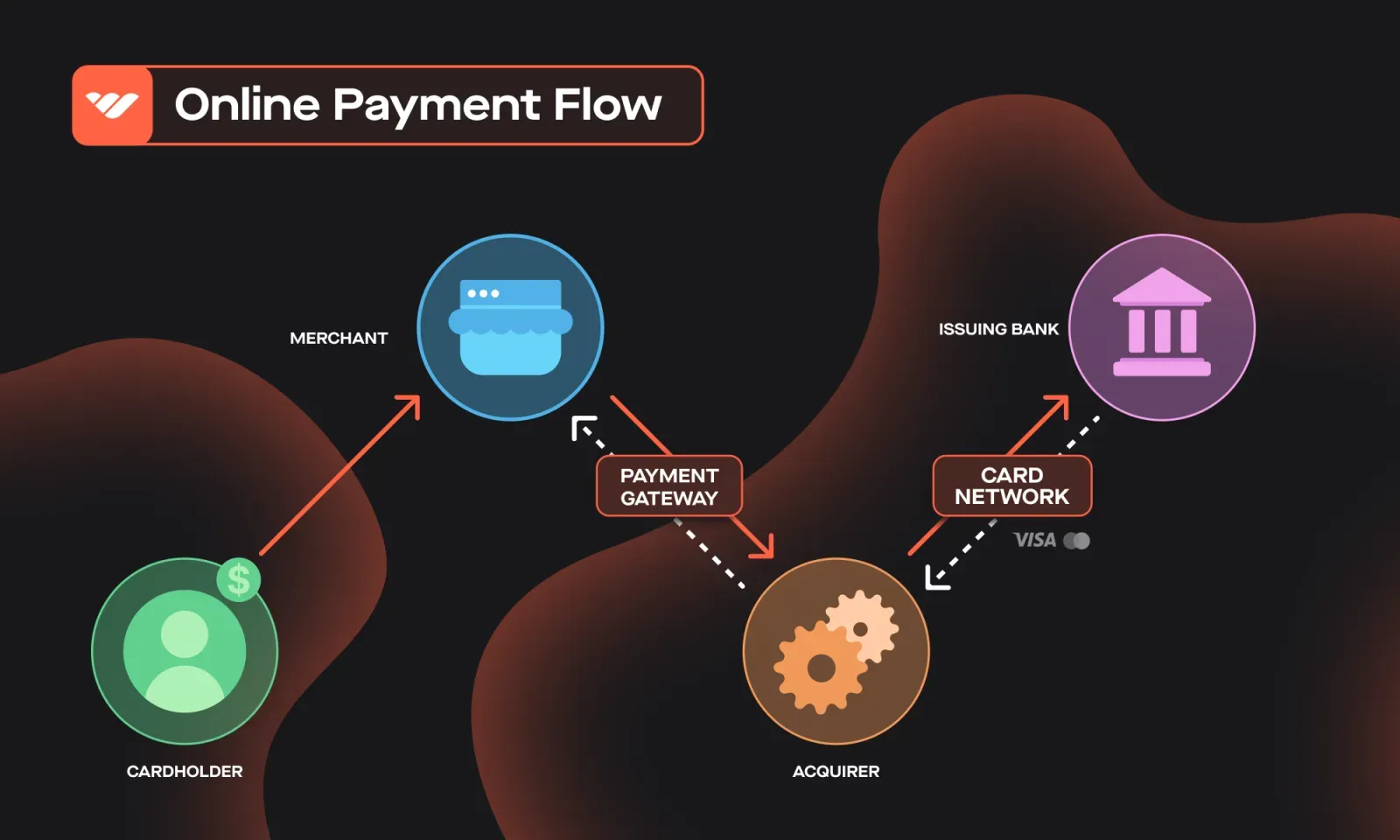
Payment gateways make online transactions possible, but they’re not always flexible. Most modern businesses combine a gateway with an API to balance security, control, and customer experience.
Difference between a payment API, a gateway, and a processor
The terms payment API, payment gateway, and payment processor are sometimes used interchangeably across the web since most providers have all three in a single product.
That being said, they do different jobs. Let's break them down:
| What it does | Who runs it | |
|---|---|---|
| Payment API | The interface your code calls to take payments and issue refunds | Your payment provider |
| Payment gateway | Encrypts and transmits card data to the processor and bank | Your provider, or a standalone gateway |
| Payment processor | Moves the money and handles settlement | Your provider |
The pros and cons of using payment APIs
Payment APIs can unlock a lot of value for your business, but they also come with trade-offs. Here’s a clear look at both sides.
Pros
- Seamless checkout: Customers pay directly on your site or app, without being redirected elsewhere.
- Better user experience: Fewer clicks = fewer drop-offs, which means higher conversion rates.
- Strong security: Sensitive data is transmitted directly to the processor, reducing fraud risk.
- Flexibility: APIs can handle multiple payment types, recurring billing, and advanced logic.
- Rich data access: Businesses can analyze detailed transaction data to improve marketing and customer support.
Cons
- Integration can be complex: Most APIs require developer resources, which may be tough for small teams.
- Security risks if misused: Poor implementation leaves room for fraud or breaches.
- Limited payment options with some providers: Not every API supports global or local payment methods.
- Added costs: Monthly fees or per-feature charges can stack up, especially for low-volume merchants.
- Customization limits: Some APIs are closed systems, making it hard to adapt or extend beyond what’s provided.
Payment APIs give you full control over checkout and customer data — but they also come with strings attached.
If you don’t have the technical resources, they can quickly turn into extra costs, delays, and complexity that pull you away from actually growing your business. That’s why Whop offers both: deep APIs for custom setups, and no-code tools that anyone can use.
Things to consider when choosing a payment API for your business
Not all payment APIs are created equal. The right one can help your business grow seamlessly; the wrong one can add cost, complexity, or even turn customers away at checkout.
Here are the key factors to keep in mind:
- Cost: Factor in setup fees, monthly/annual charges, and hidden costs for essentials like fraud prevention, recurring billing, or refunds.
- Security: Your payment API should meet PCI-DSS standards, encrypt data in transit and at rest, and include built-in fraud detection.
- Reliability: Downtime = lost sales. Choose a provider with high availability, fast processing, and uptime guarantees (SLAs).
- Convenience: Look for APIs that support multiple payment types (cards, wallets, local methods), sandbox testing, and easy plug-ins for your platform.
- Flexibility: Choose an API that can adapt to your model. Flexibility also means support for multiple currencies and languages.
- Support: Strong documentation, SDKs, sample code, and responsive customer support make a big difference.
- Integration: Check whether the API supports webhooks, real-time notifications, and modern frameworks to reduce dev headaches and give you better visibility into transaction status.
- Compliance: Make sure your provider is compliant and can back it up with certifications. Ask about their security policies and incident response plans.
- Scalability: Look for APIs that can scale with you, supporting higher transaction volumes and new markets without disruption.
Whop covers these - 2.7% + $0.30 on domestic cards, orchestration that reroutes declines, a hosted checkout iframe so card details never touch your page, payouts to 187+ countries, and 100+ payment methods across 195 countries.
“My first month on Whop, I made $12.5k all from organic traffic, with 0 failed payments lol. Thanks Whop!”
- Whop seller @0xroas
Payment API providers compared
Here's how the main payment API providers compare on what they actually charge for an online card payment, cheapest first.
| Provider | Online card rate | Best for |
|---|---|---|
| Whop | 2.7% + $0.30 | Platforms that take payments and pay people out from one API |
| Braintree (PayPal Enterprise Payments) | 2.89% + $0.29 | PayPal and Venmo in one integration |
| Stripe | 2.9% + 30¢ | Developer-first teams building custom flows |
| PayPal | 2.99% + 49¢ (3.49% for the PayPal wallet) | Buyer recognition at checkout |
| Square | 3.3% + 30¢ online (2.6% in person) | Selling in person and online |
| Adyen | $0.13 + Interchange+ + 0.60% (global, indicative) | Enterprise volume and interchange transparency |
| Checkout.com | Not published | Large global merchants on custom pricing |
Accept more payments with Whop
Whop lets you take cards, buy now pay later, and 100+ local payment methods, or accept crypto converted to USD at checkout. Then get paid out across 200+ countries, straight to a local bank, wallet, Cash App, or more with one-time or recurring subscriptions running in the same place.
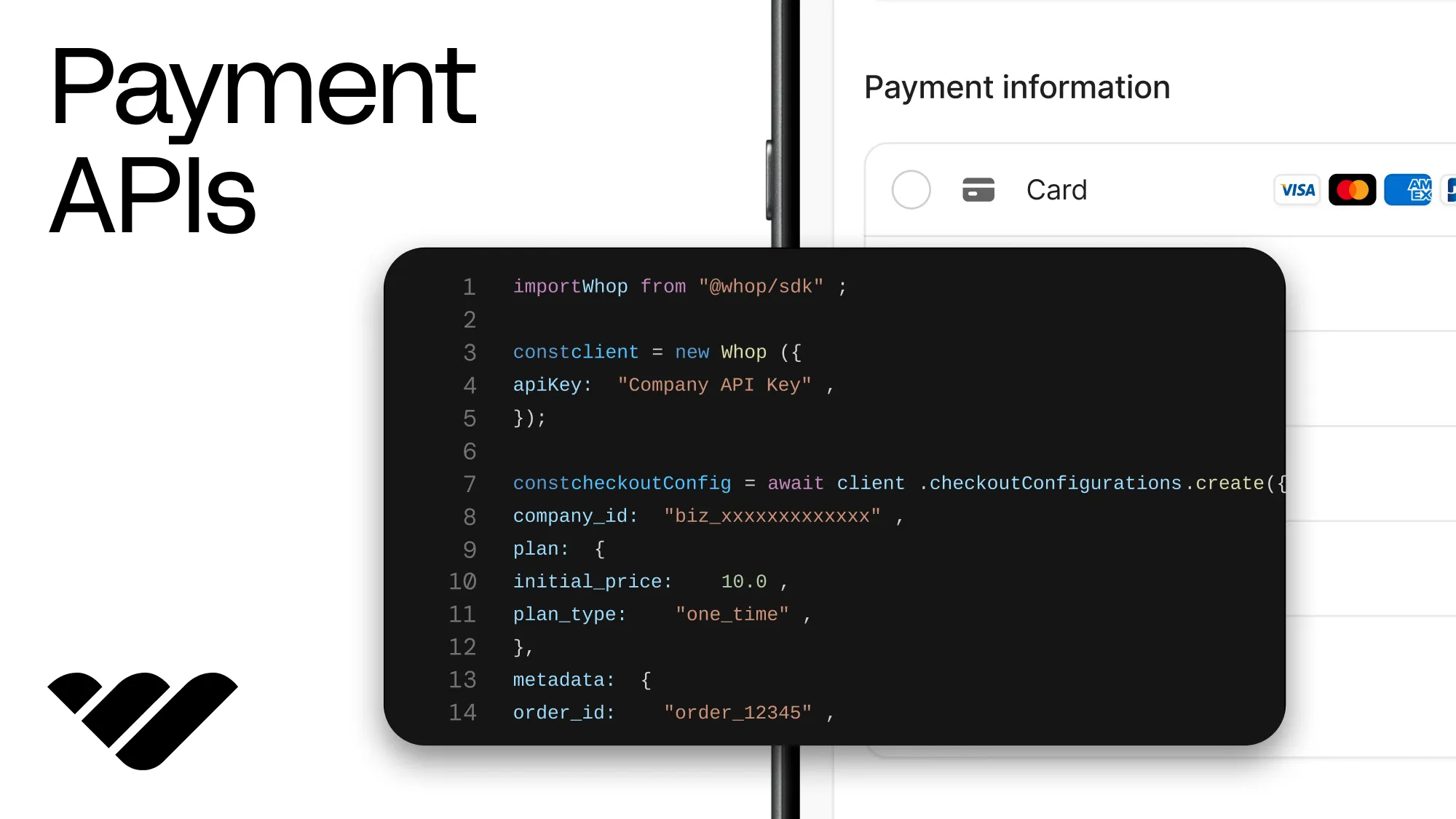
If you have your own platform, a single API call returns a purchase URL you can attach your order metadata to, @whop/checkout adds the checkout to your site, and you can run the whole thing agentically through the Whop CLI.
FAQs about payment APIs, gateways, and Whop
What’s the difference between a payment API and a payment gateway?
A payment API is the tool that connects your website or app to a payment processor, giving you control over how checkout looks and works. A gateway is the secure tunnel that moves your customer’s card details to their bank and brings back the yes/no response. Most businesses use both.
Do I need developers to use a payment API?
With most providers, yes. Payment APIs usually require coding knowledge to integrate. With Whop, you can go either way: use the full API if you want control, or skip the dev work with checkout links, embeddable modals, and no-code storefronts.
What payment methods should I offer customers?
The more payment methods you give, the higher your conversion. Beyond credit and debit cards, you’ll want local payment methods (like iDEAL in the Netherlands), Buy Now Pay Later (BNPL), and even crypto.
Whop supports 100+ payment methods across 195 countries, including crypto, which is converted to USD at checkout.
How long does it take to get paid?
Some providers hold funds for days before releasing them. With Whop, payouts are faster and more flexible. You can get paid out in 187+ countries via local bank transfer, Venmo, Cash App, or crypto, whichever works best for you.



![22 of the best ecommerce platforms to sell online [2026]](https://storage.ghost.io/c/12/7b/127b828b-bdc2-4972-9cf2-de857df9c324/content/images/size/w1000/format/webp/2026/08/best-ecommerce-platforms.jpg)
![How to start an ecommerce business [2026]](https://storage.ghost.io/c/12/7b/127b828b-bdc2-4972-9cf2-de857df9c324/content/images/size/w1000/format/webp/2026/08/how-to-start-an-ecommerce-business.jpg)
![TikTok Shop: the ultimate guide to selling on TikTok [2026]](https://storage.ghost.io/c/12/7b/127b828b-bdc2-4972-9cf2-de857df9c324/content/images/size/w1000/format/webp/2026/08/tiktok-shop.jpg)

![15 best BNPL providers for your business [2026]](https://storage.ghost.io/c/12/7b/127b828b-bdc2-4972-9cf2-de857df9c324/content/images/size/w1000/format/webp/2026/08/BNPL-providers.png)